 Sway
SwayChoose one app
Select one protected app on Free. You decide which app needs a little space.
One quick check, another long scroll?
Take 3–8 seconds before the app you choose.
Open it. Or not. Your call.
Free: one protected app · No Sway account · Plus is optional
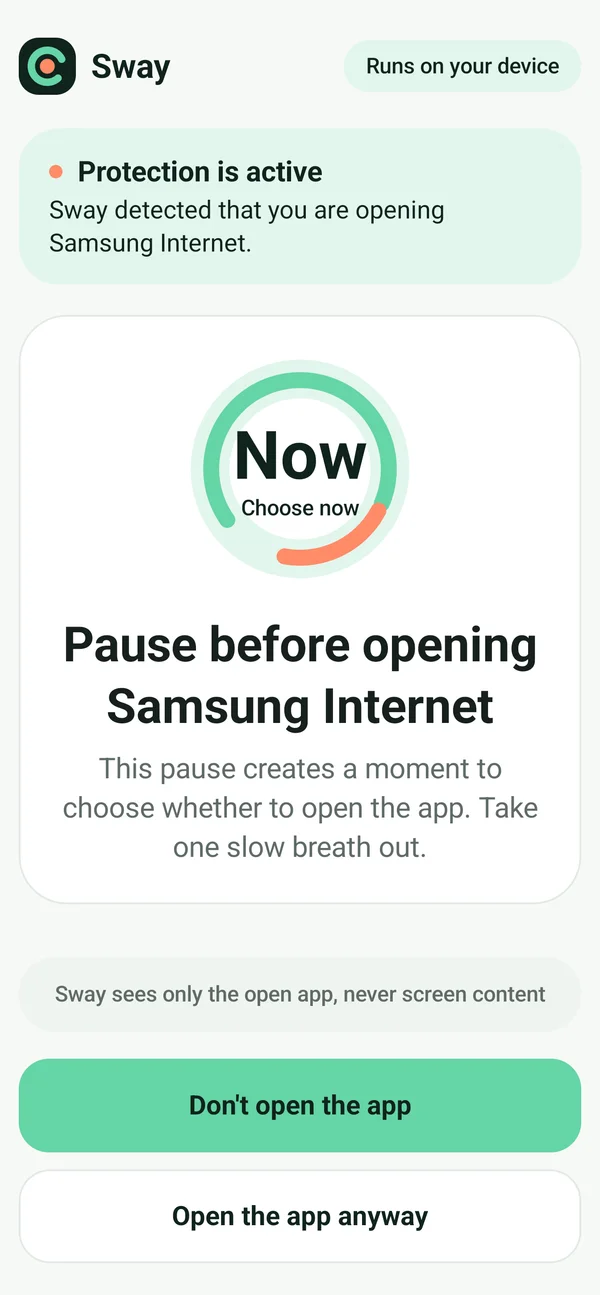
Actual Galaxy S25 capture · demo app: Samsung Internet
A small pause before the app you keep reaching for. Decide whether you need it right now.
Did you mean
to open
that app?
A small pause when your chosen app opens.
Leave now, or continue when you are ready.
Filmed from the Play-installed app. Includes live interactions and still scenes, not a promise of individual outcomes.
20 seconds · Actual Galaxy S25 · Understandable without sound
Start with the app you reach for most. Keep the rest of your phone yours.
Select one protected app on Free. You decide which app needs a little space.
Read the disclosure, then enable Accessibility in Android settings yourself. App selection alone does not start automatic protection.
Choose Gentle, Balanced or Firm. You can pause protection or turn off access yourself.
Protect one app with Free. Explore Plus when you want more apps and schedules.
Free
No Sway account or subscription required
US $4.29/month or $28.99/year
US reference prices · final terms in Google Play
Plus automatically renews and can be canceled in Google Play. Regional prices, taxes, availability and final terms are shown before purchase. No free trial is promised. Both Free and Plus use frequency limits and rest periods to reduce repeated interventions.
Free includes one protected app, basic personalization and seven days of history. No Sway account or subscription is required. Multiple protected apps and schedules are optional Plus features.
To detect when an app you select comes to the foreground and show its pause. You see a disclosure and consent flow, then enable Sway yourself in Android settings. Sway does not read screen content, typed text, passwords, messages or screen images. You can turn access off at any time.
No. You can leave immediately, or choose to continue after a 3–8 second pause. Hourly limits and rest periods reduce repeated interventions, and some openings such as quick re-entry are skipped. Sway is not a hard blocker.
Protected-app choices, pause history and personalization data stay on your device and can be deleted in the app. Plus verification sends a purchase token and product identifier to the verification service. See the privacy policy for details.
As checked on 2026-10-15, the first public release is under Google Play review. Access for existing closed testers is different from a public launch. We will not claim general availability before it is verified. Sway is currently for Android, not iPhone.
While public release is under review, watch the real demo and think of the app you would like to open less automatically. Feedback goes directly to the developer.